SHAPES
Page 4
This
tutorial was written by Jemima ~
September 2003..
Copyright © 2003/4
~ Jemima ~ All rights reserved
********************************
This time we'll use the 'mqc Dune'
gradient that you downloaded.
Click on the Arrow in your Background
Styles box
Select the Gradient icon and load the
'mqc Dune' gradient
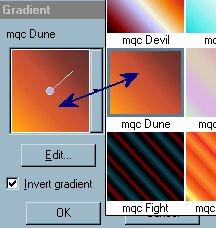
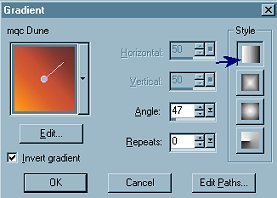
Make sure you still have the 'Goldfold'
PATTERN
in your Foreground STYLES box.

Open a new image 400 x 400
Transparent background
Go to LAYERS >>>New Raster Layer
Go to your PRESET tool
In the OPTIONS box
select "Flake 7"
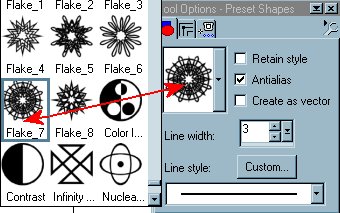
Place your cursor at position 50
(across), 50 (down)
and drag it to 350 (across), 350 (down)
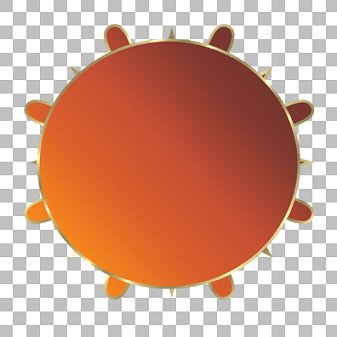
Go to LAYERS >>>New Raster Layer
This time make your Background (STYLES
box) NULL
Place your cursor at position 50
(across), 50 (down)
and drag it to 350 (across), 350 (down)
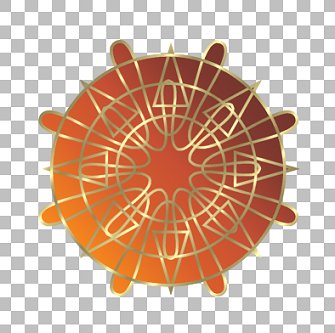
Go to EFFECTS >>> Sharpen
>>> Sharpen
Go to EFFECTS >>> 3D Effects
>>> Inner Bevel
Use these settings
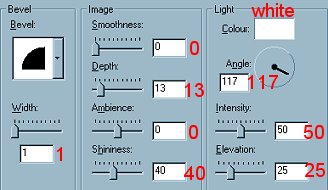
Click OK
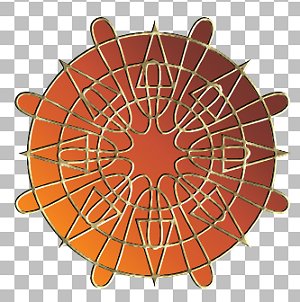
You now have 2 shapes here that you can
use together or individually.
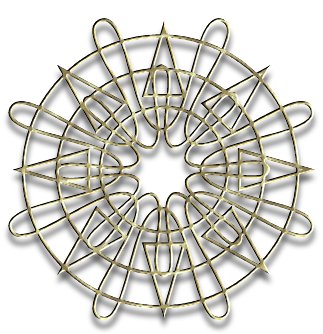
and

Save as a .psp file.
Last one coming up... again... totally
different.
NEXT
Page designed by

Copyright ©
2000-2004 Jemima
All rights reserved.
Unless specifically made available for
download,
no graphics or text may be removed from
this site for any reason
without written permission from Jemima

 NEW TUTORIAL INDEX NEW TUTORIAL INDEX
|