SHAPES
Page 7
This
tutorial was written by Jemima ~
September 2003..
Copyright © 2003 ~
Jemima ~ All rights reserved
********************************
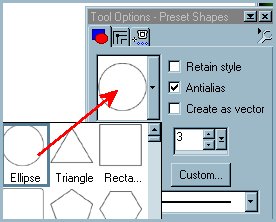
Select your PRESET SHAPES tool
On your OPTIONS select
"Ellipse"
In BOTH your Foreground and Background
STYLES boxes
Change the colour to ( #9F7D2B )

Go to LAYERS >>> New Raster
Layer
Draw a circle in the centre.
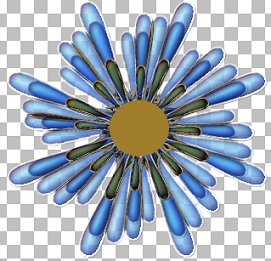
Go to LAYERS >>> New Raster
Layer
Select your AIRBRUSH
Use the following settings
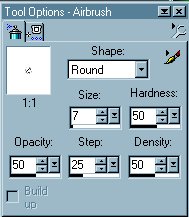
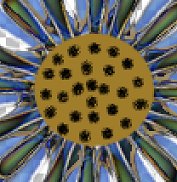
Paint 'dots' over the centre of the
circle
Go to EFFECTS >>> 3D Effects
>>> Inner Bevel
Use these settings
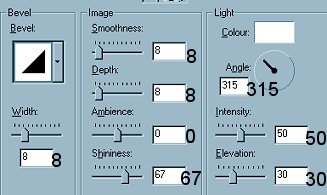
Click OK
Go to your LAYER PALETTE
and change the Blend Mode on Layer2 to
'HARD LIGHT"

Go to LAYERS >>> Merge
>>> Merge Visible
Go to IMAGE >>> Resize = 85%
"Resize All Layers" = UNCHECKED
With your MOVER tool
move the image to the top LEFT of your
canvas
Select GREEN ( #004000 ) as your
foreground colour
Change your Background to NULL

Select your DRAW tool
Use the following settings
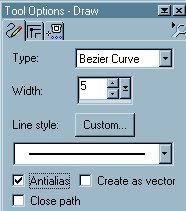
Draw a line from the centre of the flower
to the bottom of your canvas
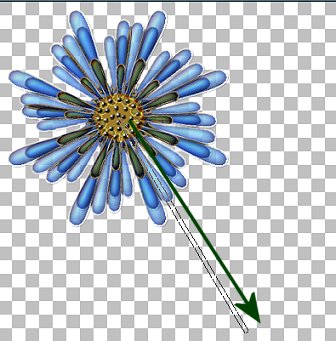
Place your cursor about a third of the
way down
and drag the line out slightly to the
right
Do the same anout a third of the way from
the bottom
and you should end up with this.
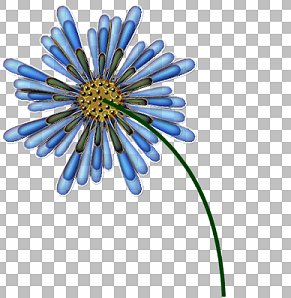
Go to your LAYER PALETTE
and drag Layer 2 under the Merged Layer
Go to LAYERS >>> New Raster
Layer
Change your background colour to Light
Green ( #0B690B )

With your DRAW TOOL
Same settings
draw a short line extending from the
stem.. to the right
(I opened up Layer 1 so this would show)
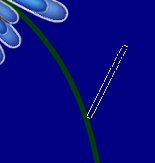
Place your cursor about a third of the
way down
and drag slightly downwards.
Repeat this about a third of the way from
the stem
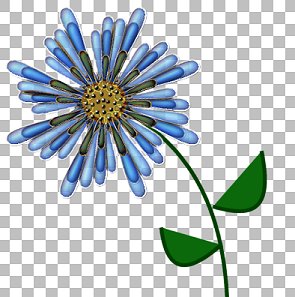
Repeat the Bezier effect on the other
side of the stem and
you should end up with this...
VOILA!!! A flower!
Make sure Layer 1 is closed
Go to LAYERS >>> Merge
>>> Merge Visible
Go to your LAYER PALETTE
Right click on Layer 1 and select DELETE.
Save your image as a .psp file
I hope you enjoyed working with SHAPES.
As I said at the beginning ...
the possibilities are endless *S*
Page designed by

Copyright ©
2000-2003 Jemima
All rights reserved.
Unless specifically made available for
download,
no graphics or text may be removed from
this site for any reason
without written permission from Jemima

 NEW TUTORIAL INDEX NEW TUTORIAL INDEX
|